Activate a pasby
Obtaining pasby as an African national or resident — passport, ID numbers, and registry issues.
Activating pasby
Activate with international passport
pasby is currently available to Nigerian residents..
Would you like to know whether pasby is available in your country and which identity document you need to activate a pass? Then keep a keen eye on all and any news about us or check out the changelogs.
In Nigeria we support the international passport document. Download the pasby-app from the Apple store or Google play store and follow the steps we've outlined at getting started.
A few key notes
-
To access some Nigerian partners, especially government departments, you need a pasby pass linked to a Nigerian NIN (several e-government solutions ask for your national identification number, which is only stored on the National Identity Database).
-
If you keep encountering an identity mismatch error when ordering a pasby, there may be discrepancies in your national identity data on record. Currently, the only solution is for you to rectify this issue on your own.
Activate without an international passport
Do not have an international passport? Don't worry we got you covered. We recognise these ID numbers in Nigeria;
- NIN - National Identity Number
- BVN - Bank Verification Number
Please note: you will need to have downloaded the pasby-app for this.
Continue in the app
-
Open the pasby app and tap on "Get my first pasby." Enter your phone number.
-
After entering your phone number, choose your identification method by selecting your issuing country.
-
Once you've chosen your issuing country, make sure to unselect the passport option.
Before unselecting passport as an identification method
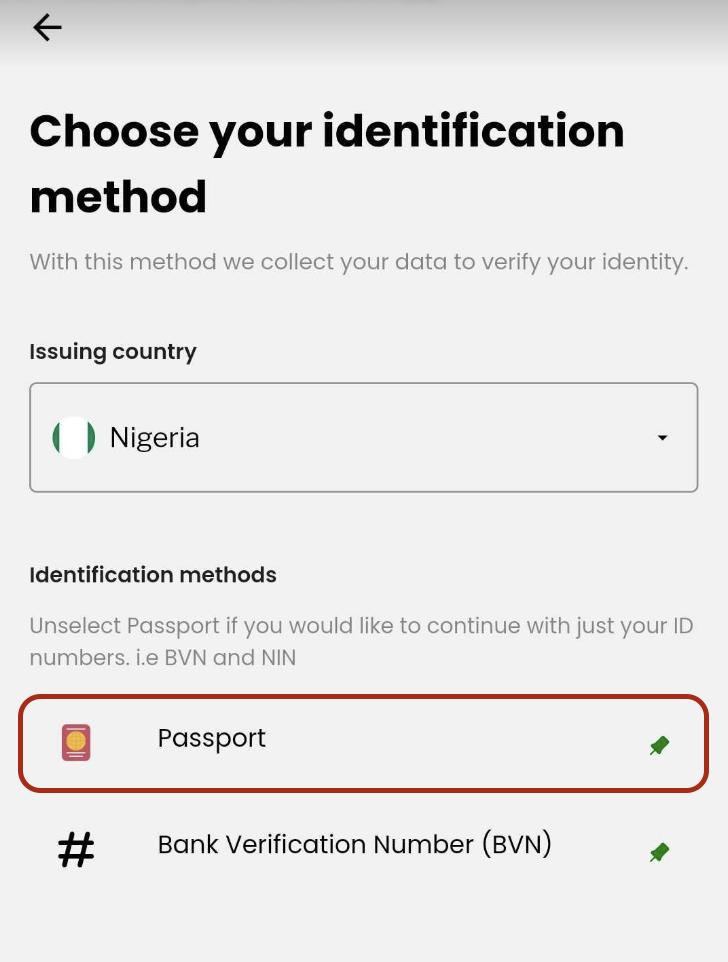
After unselecting passport as an identification method

-
On the next screen, enter your ID numbers. After that, proceed to perform a lifelines check on yourself in the following screen.
-
We will verify your identity and conduct a thorough integrity test using registries before issuing your pasby.
Problems with your identity in the registry
If you keep encountering an identity mismatch error when ordering a pasby, there may be discrepancies in your national identity data on record. Currently, the only solution is for you to rectify this issue on your own.
For Nigerians
We advise you reach-out to the bank which issued you a BVN (Bank Verification Number) and for best practice always crosscheck with the NIMC (National Identity Management Commission).
Still need help?
Our support team can assist with activation, account recovery, and security concerns.
More topics
Using pasby
Common questions while authenticating, sharing claims, and using pasby day to day.
Browse articles →Managing my e-ID
Update passcodes, change registered address data, and manage identity linked to pasby.
Browse articles →Other questions
Passcodes, blocking, deletion, lost devices, compatibility, and security concerns.
Browse articles →