Using pasby
Common questions while authenticating, sharing claims, and using pasby day to day.
Using my pasby
For what can I use pasby?
You can use your pasby for:
-
Online identifications
-
Login
-
Confirm actions, i.e payments or deliveries
-
Sign documents online without paper and pens.
Digital service providers who offer a transparent service already have pasby integrated. Tap any of our branded buttons to begin a flow with any partner.
Access to e-government applications and healthcare platforms*
With pasby you can easily log in to government applications without using email and passwords or foreign auth providers. We are expanding our partnership towards responsive public sector organisations like our Tax-on-web e-solutions, pension solutions, or the immigration services portal.
You can also use pasby to log in to various healthcare platforms, to share, view and use your medical data across several health care providers in Africa.
*Only by due consent would you be able to access these platforms.
Other services
Today, the pasby digital ID app is rigorously expanding and will be working with numerous partners from a range of sectors: banks, public services, hospitals, insurance companies, HR companies, social secretariats, document management platforms, real estate, law practices, accountancy firms, service infrastructures, companies active in the sector of mobility and many more.
Which ID data do I share?
That depends on which service you use pasby for. We commit our partners to only requesting the strictly necessary data to support their services. With pasby, you do not share any information without your explicit consent.
In short: with pasby, you always see what you share and you always have control over your identity with pasby.
How to authenticate or carry out digital signatures
Every action is smooth, simple and recognisable - this is the uniqueness of pasby and why it's a flow.
In addition to the traditional method of entering your national identity number (NIN), you can also authenticate or carry out digital signatures using these methods:
- Secure Starts
This allows you to identify, log in, or sign up for any digital service without typing anything when using the device where your pasby is installed. This eliminates the need for users to enter their NINs or any other identifier when trying to interact with such platforms. A secure start flow uses a QR code to begin pasby-flows.
- Open the pasby-app, tap on the "QR Code icon" and scan the QR code on the partners website with the camera of your device.
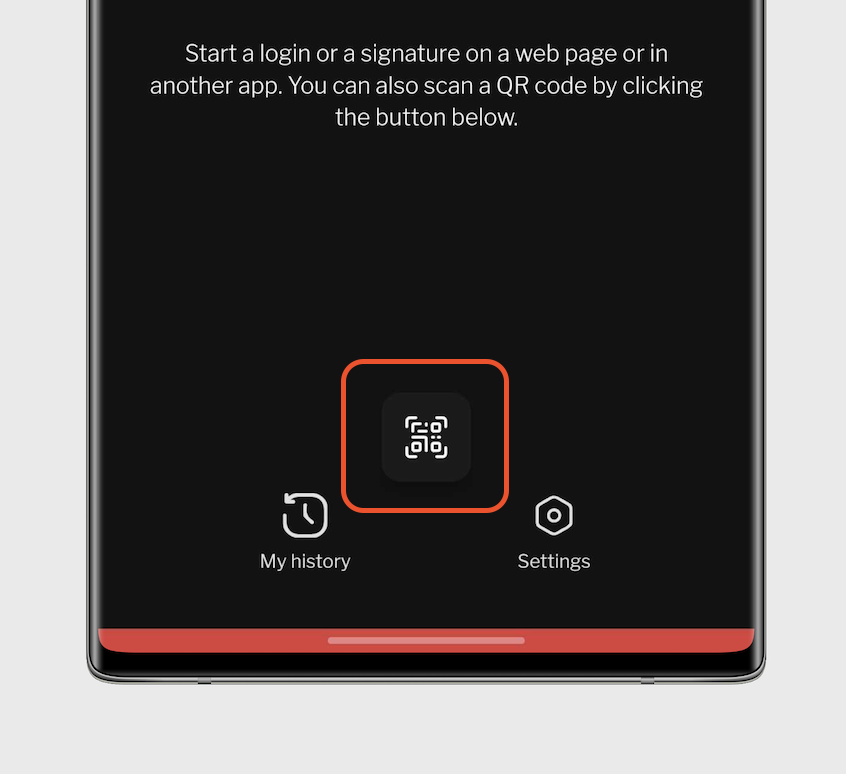
- Now confirm the action like you are used to for any other flows in the pasby-app.
Please note that the specific steps and interface may vary depending on the partner's website/app and any updates to the pasby-app.
Note: It is only possible to scan the QR code using the pasby-app. The QR codes for flows may not work with other apps or with your device's camera app.
- Auto Starts
This applies when you are beginning a flow on the same device your pasby is installed. Once a pasby button has been clicked on the partners mobile or web-app the pasby-app will automatically pick up this request and begin handling the flow immediately.
Once you confirm the flow you'd be re-routed back into the partner's app where we picked the flow request from. On IOS devices this act differently if so just return to the partner's app yourself.
Clicked on pasby button but instead redirected to a browser webpage?
-
Ensure you have the pasby-app installed on your device and the app is connected to pasby-app.
-
If you are on an android device please activate supported links for the pasby-app in your phone settings.
See below for reference;
-
Open up app info for pasby on your device.
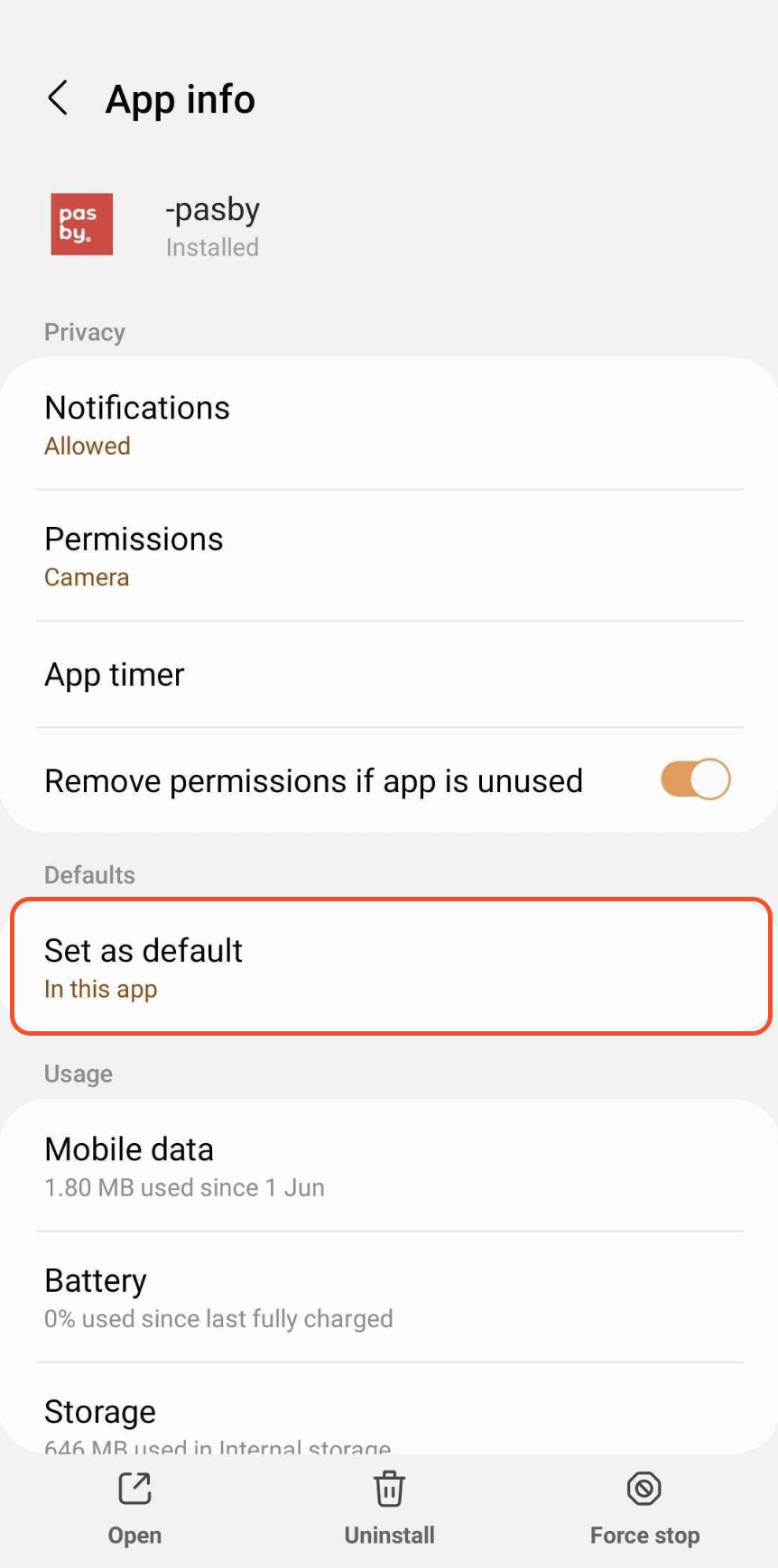
-
Enable open supported links.
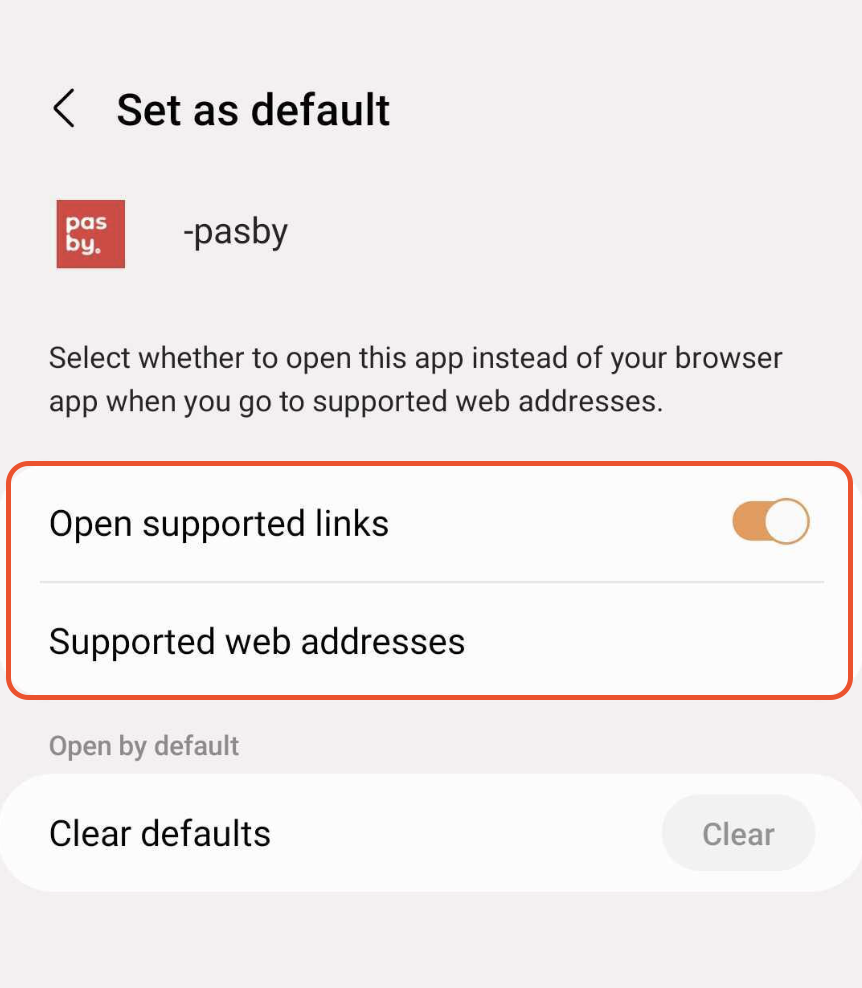
-
Make sure all links below are enabled.
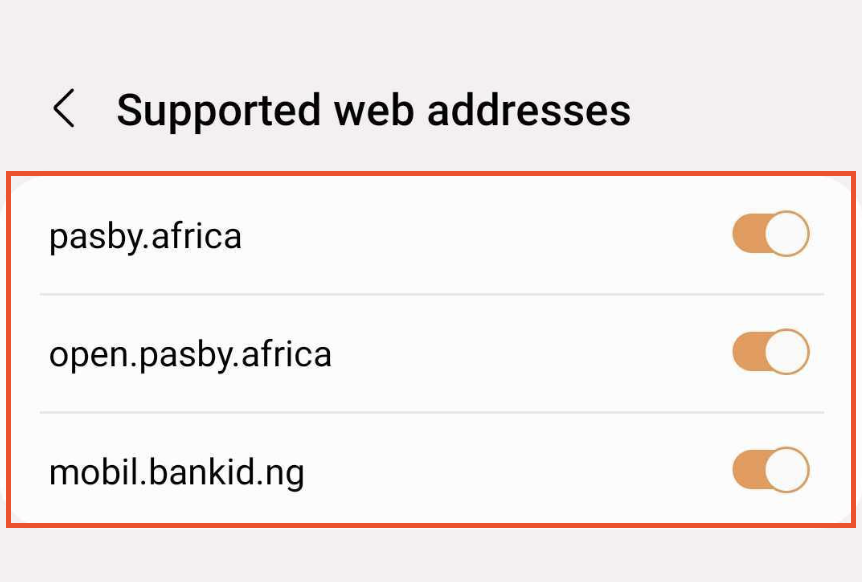
Use pasby as a minor
As a minor, you can use pasby with:
- all government websites and apps
- the bank where your account has been created
- other partners who allow young people to use their services
However, you will not be able to use pasby with partners whose services are geared towards adults. Also, as a minor, you cannot electronically sign qualified documents with pasby. This is only possible from the age of 18.
Still need help?
Our support team can assist with activation, account recovery, and security concerns.
More topics
Activate a pasby
Obtaining pasby as an African national or resident — passport, ID numbers, and registry issues.
Browse articles →Managing my e-ID
Update passcodes, change registered address data, and manage identity linked to pasby.
Browse articles →Other questions
Passcodes, blocking, deletion, lost devices, compatibility, and security concerns.
Browse articles →